
- What are website wireframes?
- Why are website wireframes important?
- Common types of website wireframes
- 1. Low-fidelity wireframes
- 2. Mid-fidelity wireframes
- 3. High-fidelity wireframes
- Website wireframes: Examples to understand better
- How kreativekabbage uses website wireframes in their process
- Discovery and research
- Wireframe creation
- Iteration with client collaboration
- Integration into design and development
- Benefits of using wireframes for small studios and clients
- Tips for creating effective website wireframes
- Conclusion
Website wireframes: A key step in building effective websites with examples
Website wireframes are an essential foundation for creating functional, user-friendly websites that meet business and user needs. Before any colors, images, or content are added, wireframes help map out the structure and layout of a site clearly and efficiently. This crucial step benefits both clients and developers, ensuring a shared understanding of the project’s direction. In this article, we’ll explore the concept of website wireframes, their importance in web design, illustrative examples, and how small studios like kreativekabbage at www.kreativekabbage.com incorporate wireframes into their creative process.
What are website wireframes?
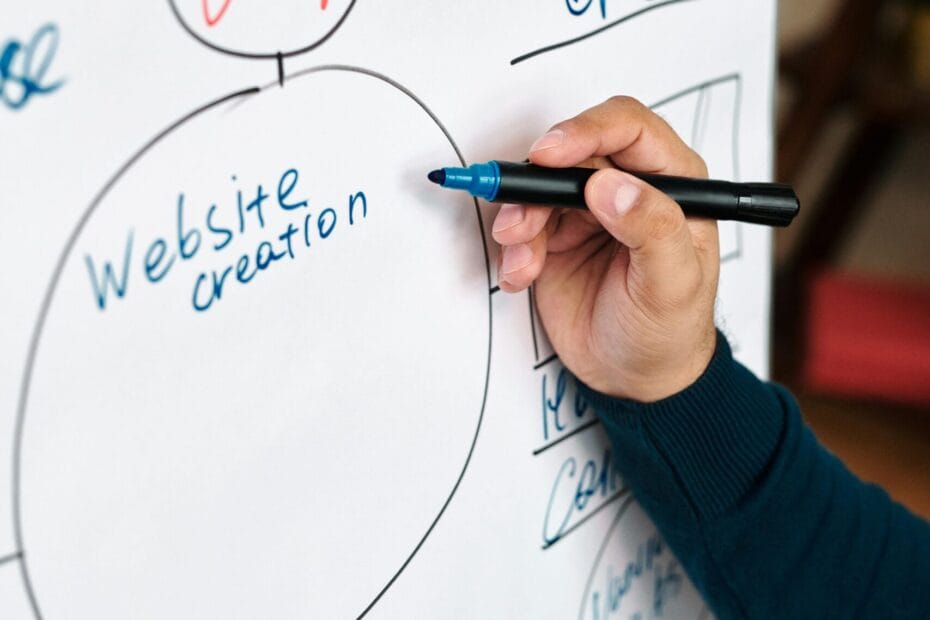
Website wireframes are simplified, low-fidelity blueprints of a web page. They focus on the placement of elements like headers, navigation menus, content sections, buttons, and forms without any distracting visual design or branding. Think of wireframes as the architectural sketches of web design—laying out the “bones” of the site while leaving the “skin” and “clothing” to be designed later.
Wireframes can be created using basic tools such as pen and paper, digital sketching apps, or specialized wireframing software like Balsamiq, Figma, or Adobe XD. The level of detail varies depending on the project phase, but the core goal remains the same: communicate structure and functionality.
Why are website wireframes important?
Wireframes serve multiple purposes that streamline the website creation journey:
- Clear communication: They help clients, designers, and developers visualize the site’s structure early on, reducing misunderstandings.
- Usability focus: Wireframes prioritize content hierarchy and user flow, ensuring intuitive navigation and interaction paths.
- Efficient iteration: Changes and feedback are simpler to implement on wireframes than on fully developed pages.
- Resource management: By avoiding premature design work, teams save time and costs.
- Foundation for design and development: Wireframes guide the detailed design and development phases with a solid framework.
Common types of website wireframes
Website wireframes generally fall into three categories based on detail level:
1. Low-fidelity wireframes
These are simple, black-and-white sketches that outline basic page structure and content placement. They provide quick concepts and are often used in brainstorming sessions.
2. Mid-fidelity wireframes
More detailed than low-fidelity, these wireframes begin to incorporate basic content labels, UI elements like buttons and form fields, and rough spacing estimates.
3. High-fidelity wireframes
These come close to the final design but typically omit final visual styling like colors and images. They include more precise spacing, fonts, and interface details to prepare for prototyping.
Website wireframes: Examples to understand better
To illustrate, consider a basic homepage wireframe example for an e-commerce site:
- Header: Logo on the left, navigation links centered, search bar and cart icon on the right.
- Hero section: Large banner placeholder with headline and call-to-action button.
- Featured products: Grid layout to display product thumbnails with brief descriptions.
- Footer: Links to privacy policy, contact, social media icons, and newsletter sign-up.
The wireframe might simply use boxes and labels like “Logo,” “Nav,” and “Hero Image” rather than actual images or colors, helping stakeholders discuss content placement and priorities early on.
Another example might be a blog post page wireframe:
- Header: Site logo and primary menu.
- Main content: Title, byline, article text, and related post links.
- Sidebar: Categories, recent posts, and subscription call-to-action.
- Footer: Social links and legal information.
Wireframes like this help ensure the reading experience is well structured before adding aesthetics.
How kreativekabbage uses website wireframes in their process
A small studio like kreativekabbage, found at www.kreativekabbage.com, excels at building websites that align well with clients’ visions through a meticulous, collaborative process. Wireframes play a pivotal role in how they develop each project.
Discovery and research
Before starting wireframing, kreativekabbage works closely with clients to understand their brand, target audience, goals, and unique challenges. By gathering this information, the team identifies the key features required on the website and prioritizes user needs.
Wireframe creation
Next, kreativekabbage produces wireframes tailored to the client’s project scope. They create low to mid-fidelity wireframes to map out site structure, content flow, and essential UI components. Because the wireframes are presented visually, clients can provide valuable feedback early in the process, helping to fine-tune navigation and interactions without investing in visual design upfront.
Iteration with client collaboration
The wireframes undergo iterations based on client input. kreativekabbage ensures transparent communication and flexibility to accommodate changes. This step solidifies the site’s usability and functionality before moving on to the aesthetic design and coding phases.
Integration into design and development
Once wireframes receive approval, kreativekabbage’s designers add brand colors, visuals, and typography while adhering to the proven structure. Developers then transform the wireframed layout into a fully functional website. The initial wireframes help guide this process, maintaining alignment with user experience goals.
Benefits of using wireframes for small studios and clients
For small studios like kreativekabbage, wireframing offers distinct advantages:
- Clearer client expectations: Early visual tools minimize misunderstandings and align priorities.
- Time and cost savings: Detecting and resolving structural issues during wireframing avoids costly revisions later.
- User-centric designs: Focus on functionality first leads to better usability.
- Stronger client rapport: The collaborative nature of wireframing fosters trust.
Clients benefit by seeing a tangible preview of the website’s foundation before design, allowing for informed decisions.
Tips for creating effective website wireframes
Whether you are a designer or a client liaison working with a team like kreativekabbage, keep these tips in mind:
- Focus on functionality over aesthetics: Wireframes are about layout, so keep them simple.
- Fabel everything clearly: Use text labels to describe boxes and navigation elements.
- Fhink about user flow: Plan how users will move from one section or page to another.
- Fncorporate feedback early and often: Use wireframes as a communication tool.
- Fterate quickly: Multiple rounds help uncover the best structure.
- Fse digital tools for easy sharing: Software like figma or adobe xd enables real-time collaboration.
Conclusion
Website wireframes are invaluable tools that bridge the gap between ideas and the final web product. They serve as the blueprint that guides designers, developers, and clients toward a well-structured, user-friendly site. For small studios like kreativekabbage, wireframing is a crucial step in their workflow, enabling them to craft websites that align with their clients’ goals and user needs efficiently and collaboratively.
By understanding and leveraging wireframes, project teams ensure better communication, save time and costs, and ultimately produce websites that perform well and delight users. If you are looking for a focused and personalized approach to web design, studios such as kreativekabbage offer expertise that integrates wireframes seamlessly into the creation process, delivering outstanding results for businesses of all sizes.